Field utilities / local by default

Field Kit

Local toolkit for the work between “we got the dump” and “the customer can trust the result.” Inspect, sanitize, synthesize, compare, report, check a draft, watch an agent, or check a workload spec — on your machine, with no hosted upload.

Not on PyPI yet. Install the v0.2.1 GitHub release wheels or use uv sync from the v0.2.1 tag.

The tools run on your machine.

uv run fieldkit serve prints a loopback URL.

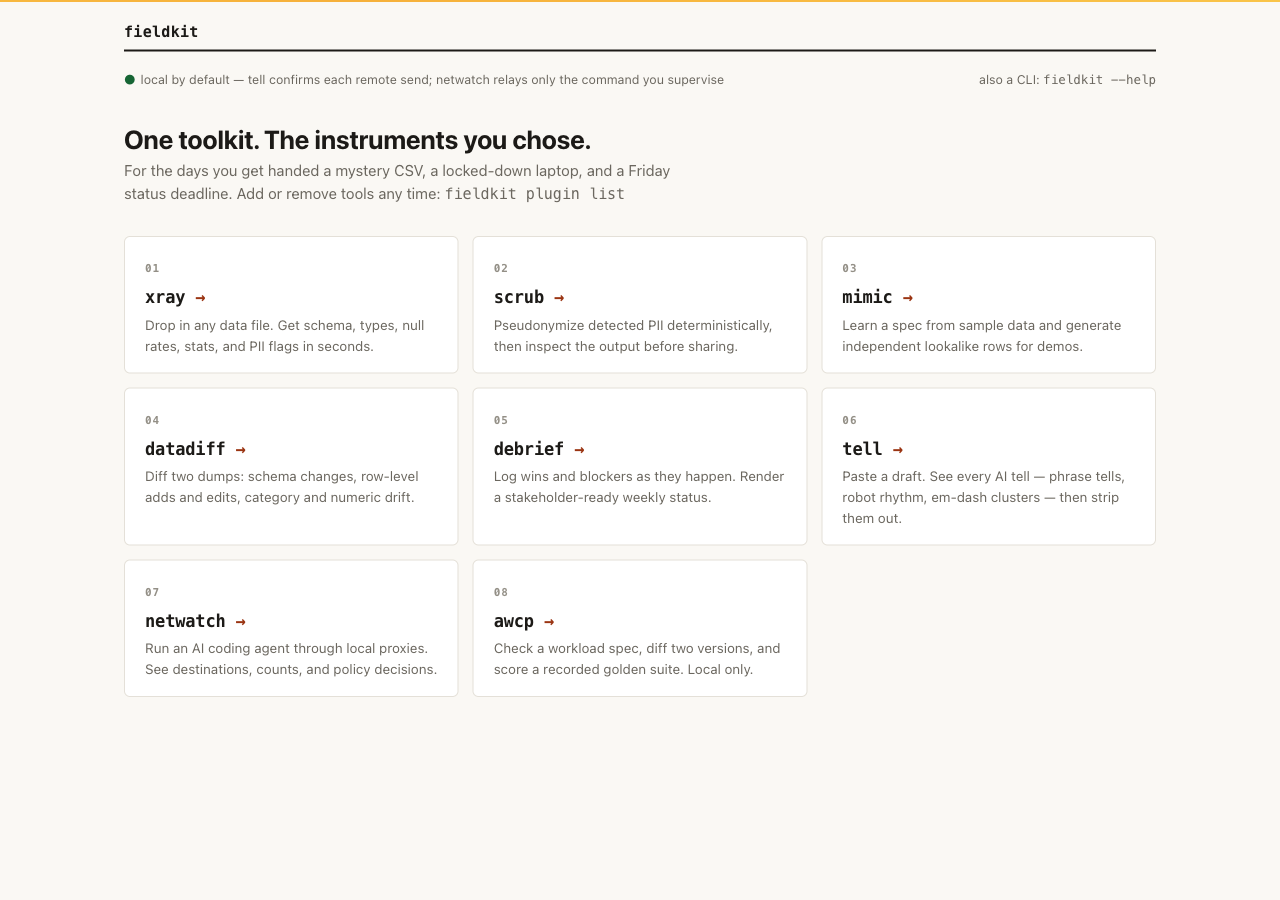
Local hub with all eight tools installed.
Local hub with all eight tools installed. Open full-size image

Pick the job in front of you.

Select a block to open working notes, the real local UI, commands, and examples. Install GitHub Release wheels by explicit path, or uv sync from a pinned checkout. Plugins are not on PyPI (the PyPI name fieldkit is unrelated). After a core wheel install, fieldkit plugin add needs --wheelhouse. Each panel shows synthetic sample data and links to its docs page.

01 / Inspect unfamiliar data

xray

Profile schema, inferred types, null rates, summary statistics, outliers, and PII flags for CSV, TSV, XLSX, JSON, and JSONL files. Use --html for a redacted report or --json for machine-readable output. Raw values require an explicit CLI opt-in.

Read the xray docs

Install and run

Add it to your toolkit
fieldkit plugin add xray
fieldkit xray customers.csv

Working from the repo

README-tested commands
uv sync
uv run fieldkit xray examples/customers.csv
uv run fieldkit xray examples/customers.csv --html profile.html
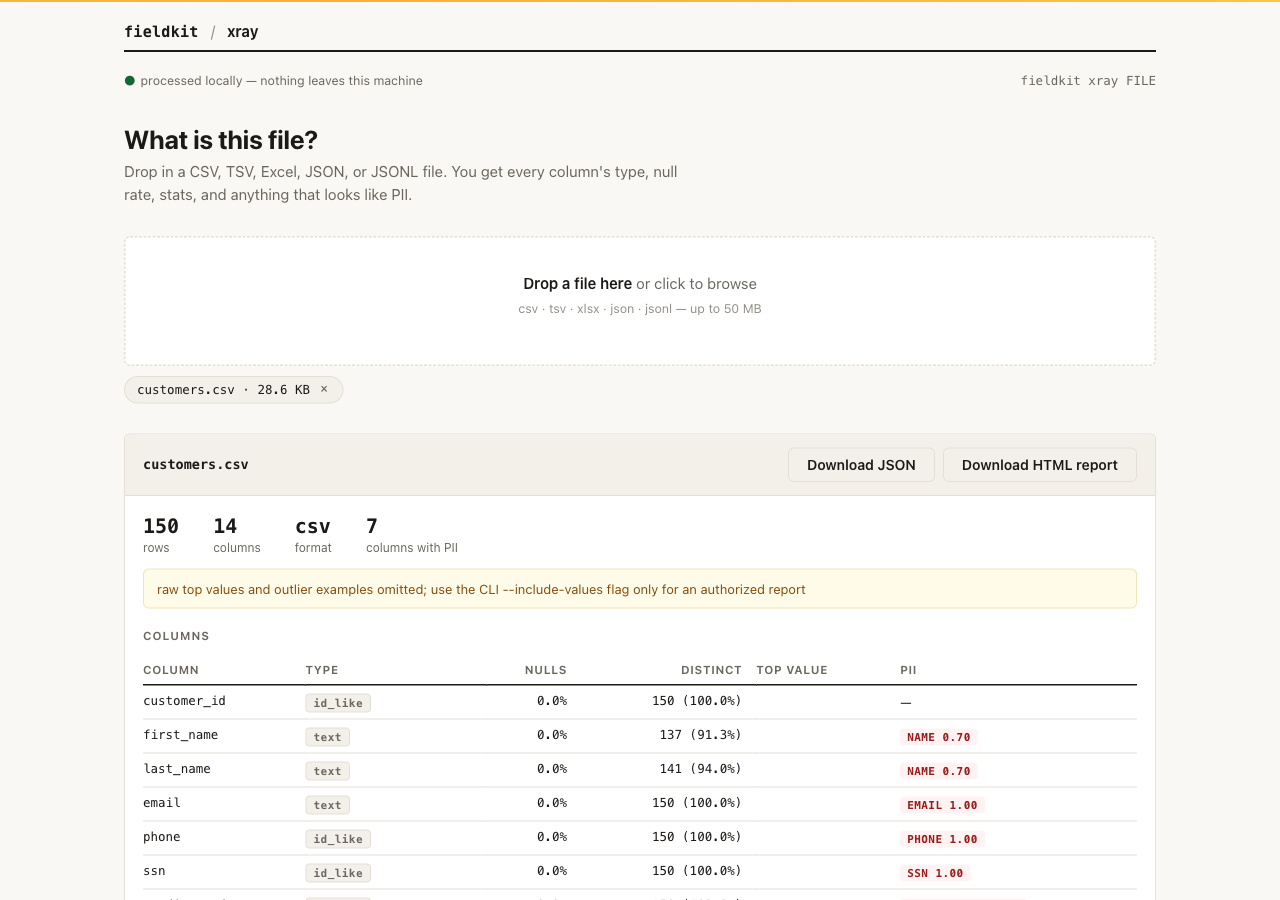
xray local page profiling synthetic customers.csv: column types, null rates, distinct counts, and PII flags
Local xray UI with synthetic sample data from the repository examples, not a customer file. Open full-size image

02 / Remove detected PII before sharing

scrub

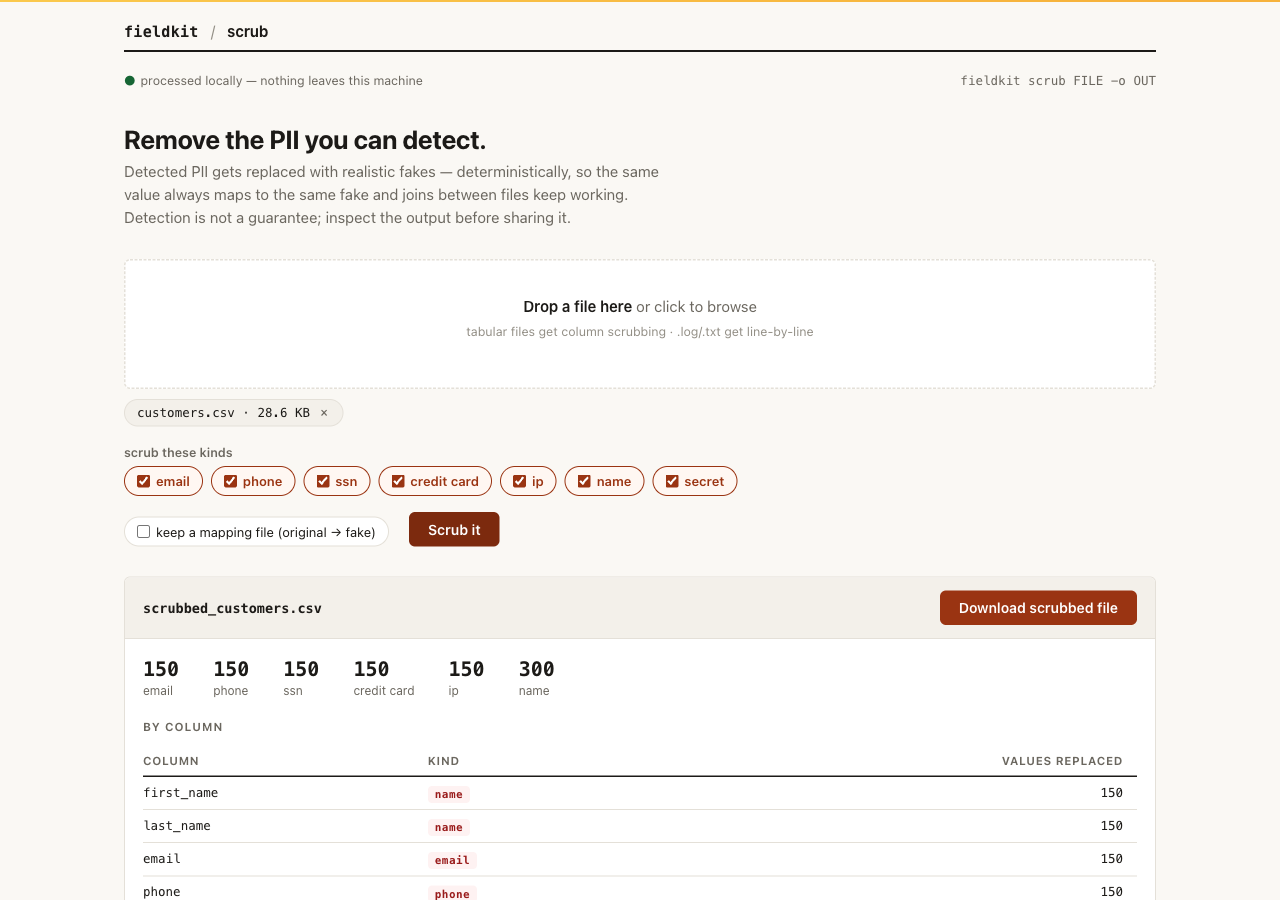
Replace detected emails, phones, SSNs, cards, IPs, names, and secrets with realistic fakes. Sparse recognized matches are covered and residual recognized PII stops the run. Detection still requires output review.

Read the scrub docs

Install and run

Add it to your toolkit
fieldkit plugin add scrub
fieldkit scrub customers.csv -o customers_safe.csv

Working from the repo

README-tested commands
uv sync
uv run fieldkit scrub examples/customers.csv -o customers_safe.csv
uv run fieldkit scrub examples/app.log -o app_safe.log --text
scrub local page replacing detected PII in synthetic customers.csv with realistic fakes
Local scrub UI with synthetic sample data from the repository examples, not a customer file. Open full-size image

03 / Build credible demo data

mimic

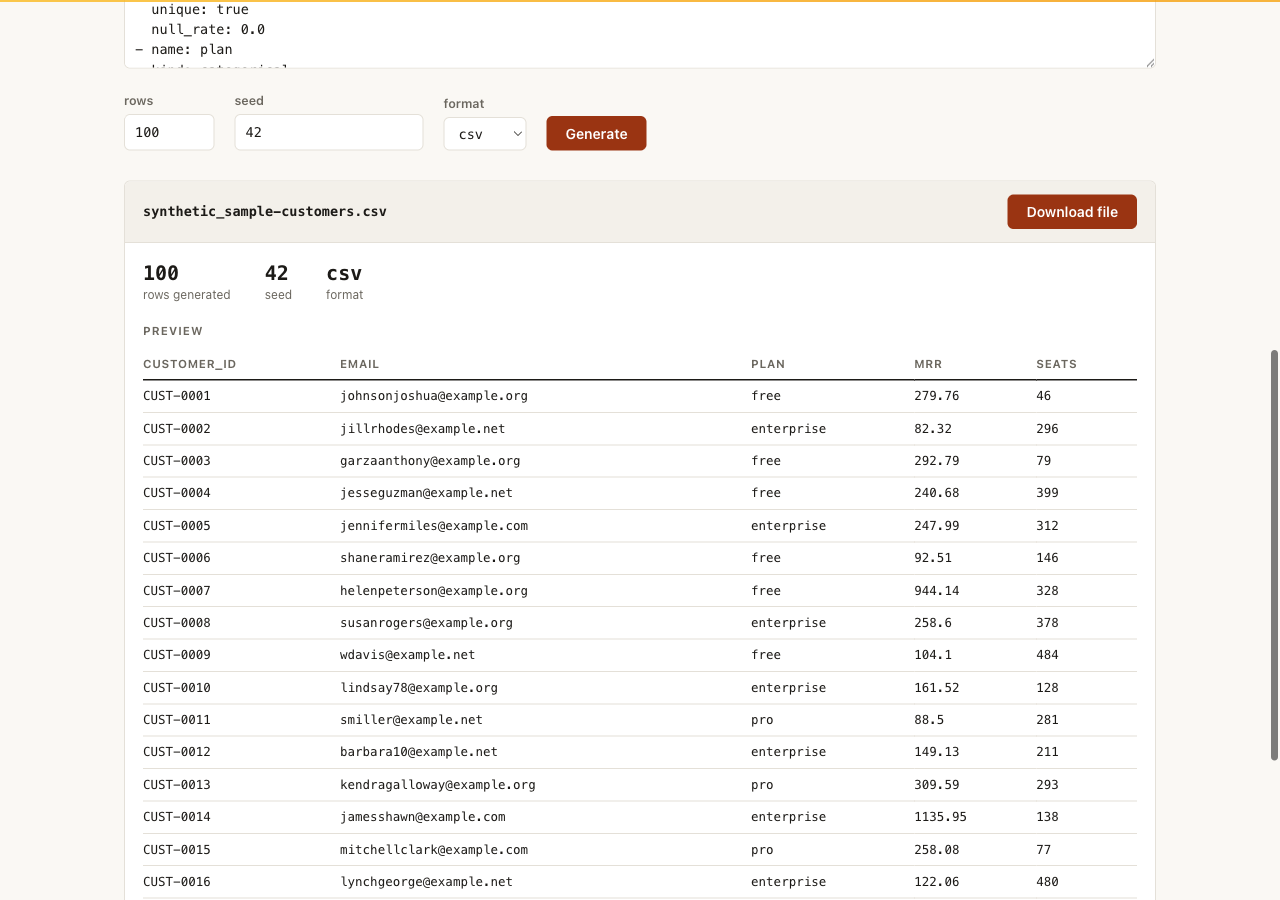
Learn column types, category pools, and distributions from a sample, then generate as many rows as you need from an editable YAML specification. PII columns use independent Faker providers without storing source-value fingerprints. The same seed produces the same output; inspect it before sharing.

Read the mimic docs

Install and run

Add it to your toolkit
fieldkit plugin add mimic
fieldkit mimic learn customers.csv -o spec.yaml

Working from the repo

README-tested commands
uv sync
uv run fieldkit mimic learn examples/customers.csv -o spec.yaml
uv run fieldkit mimic generate spec.yaml -n 10000 --seed 42 -o demo.csv
uv run fieldkit mimic generate examples/customers.csv -n 500 -o demo.csv
mimic local page generating seeded synthetic rows from a learned YAML spec
Local mimic UI generating synthetic sample data from the repository examples, not a customer file. Open full-size image

04 / Explain what changed

datadiff

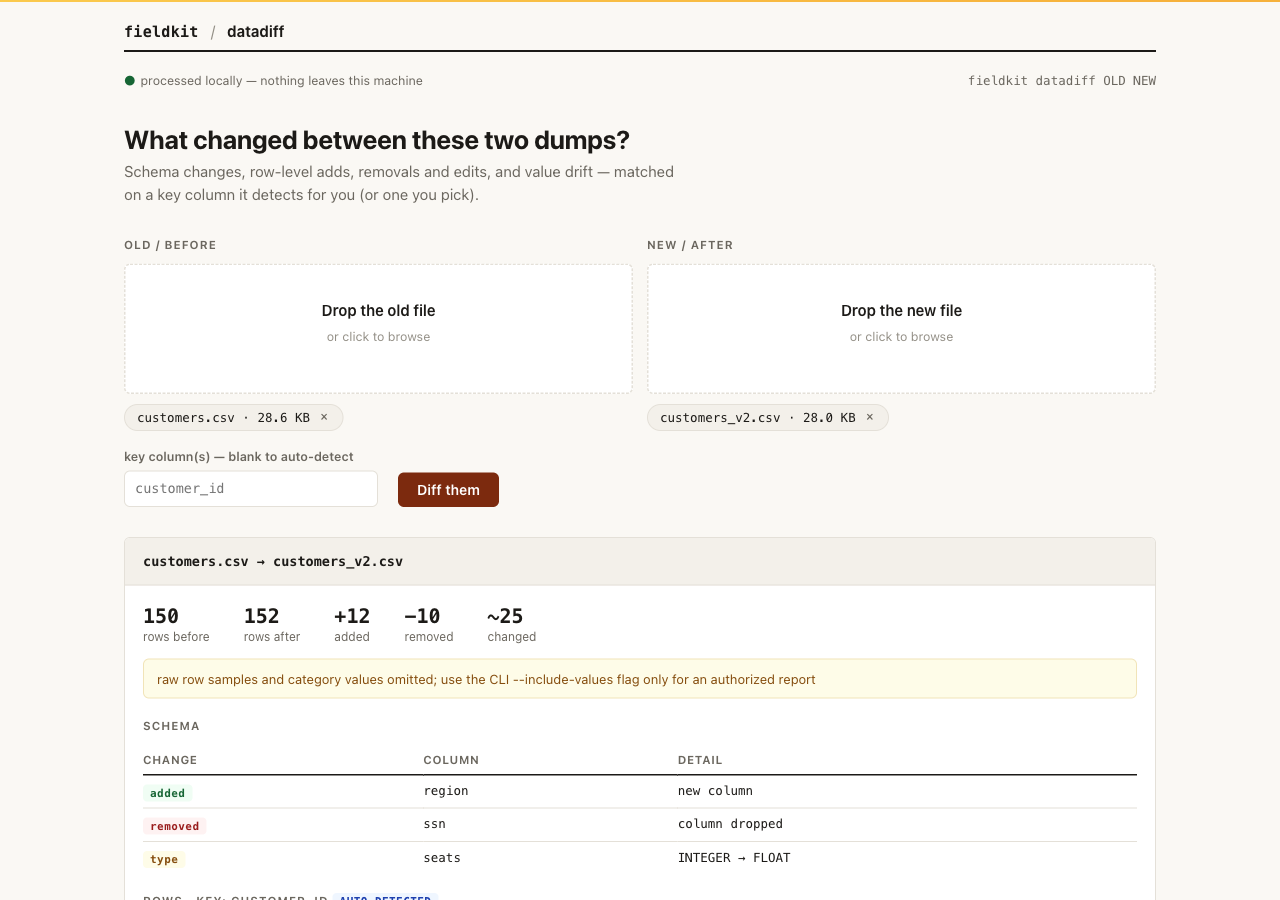
Compare two dumps for added or dropped columns, type drift, keyed row additions, removals and edits, plus value drift by column. It detects a key when it can; use --key customer_id to override it. Reports redact raw row/category values unless the CLI explicitly opts in.

Read the datadiff docs

Install and run

Add it to your toolkit
fieldkit plugin add datadiff
fieldkit datadiff customers.csv customers_v2.csv

Working from the repo

README-tested commands
uv sync
uv run fieldkit datadiff examples/customers.csv examples/customers_v2.csv
datadiff local page comparing two synthetic customer dumps for schema and keyed row changes
Local datadiff UI comparing synthetic sample dumps from the repository examples, not customer data. Open full-size image

05 / Turn the week into a status

debrief

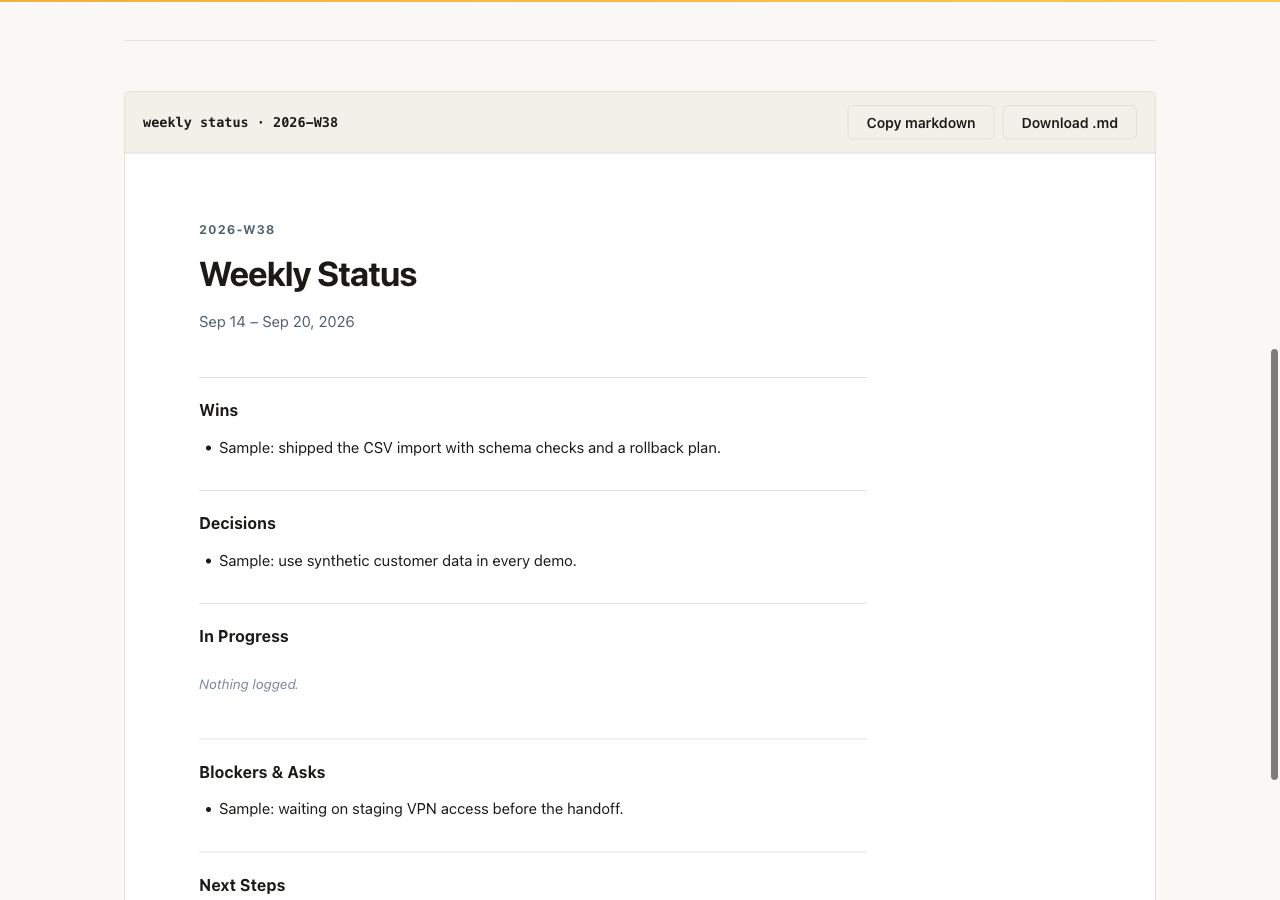
Capture wins, blockers, decisions, notes, and next steps as they happen. The report command turns that tagged engagement log into stakeholder-ready markdown, or HTML with --html status.html.

Read the debrief docs

Install and run

Add it to your toolkit
fieldkit plugin add debrief
fieldkit debrief report

Working from the repo

README-tested commands
uv sync
uv run fieldkit debrief add "shipped ingestion pipeline to prod" --tag win
uv run fieldkit debrief add "waiting on VPN access for staging" --tag blocker
uv run fieldkit debrief report
debrief local page showing a weekly status built from tagged synthetic sample entries
Local debrief UI with a synthetic sample engagement log, not a customer report. Open full-size image

06 / Check the draft before it ships

tell

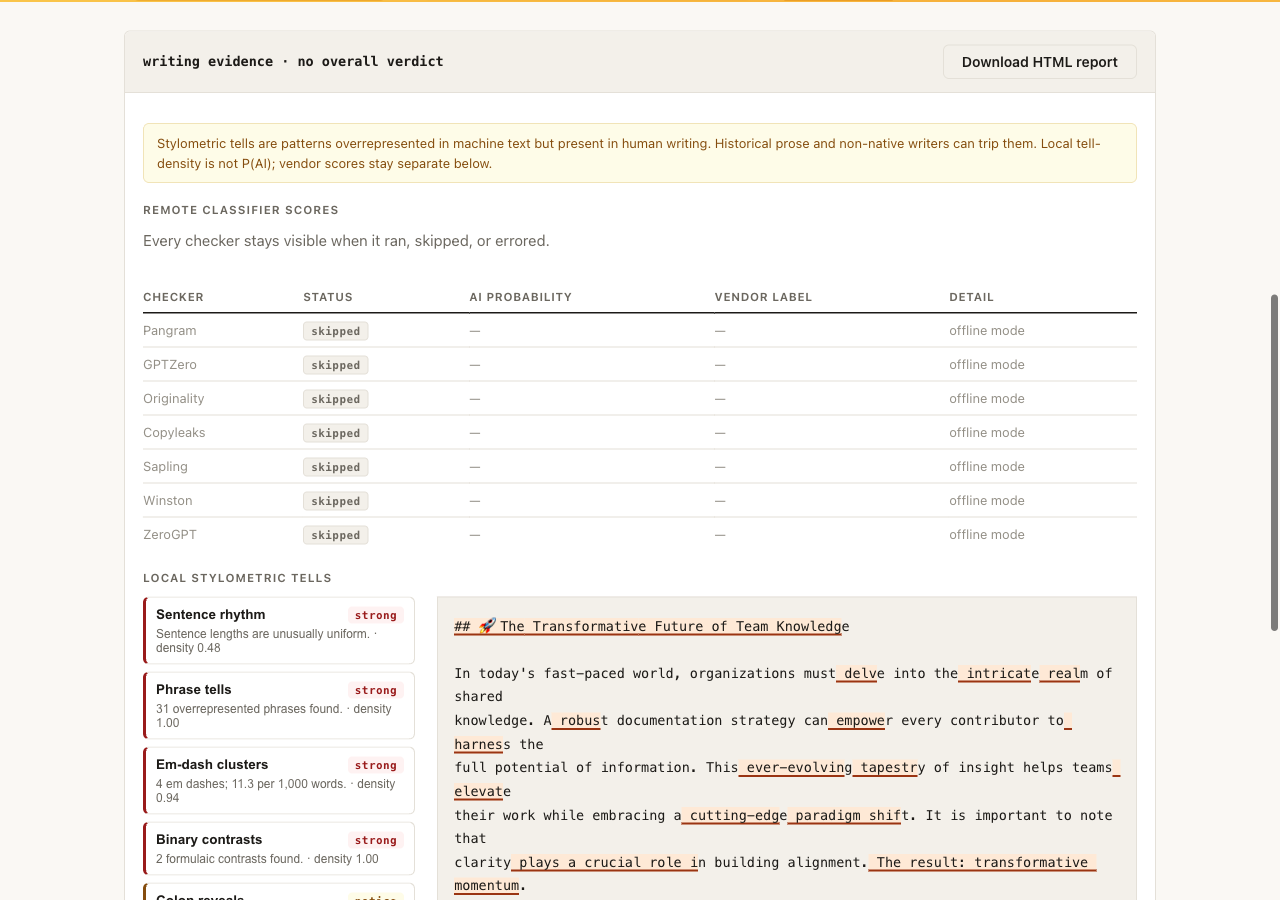
Run ten local stylometric checks on a draft and keep those signals separate from any remote classifier score. Neither establishes who wrote the text. Remote checkers need vendor keys and an explicit --remote run; the CLI names every destination before text leaves the machine. The default stays offline. Use unslop to strip deterministic slop patterns.

Read the tell docs

Install and run

Add it to your toolkit
fieldkit plugin add tell
fieldkit tell check draft.md

Working from the repo

README-tested commands
uv sync
uv run fieldkit tell check draft.md
uv run fieldkit tell adapters
Scrolled tell report of synthetic slop_sample.md: local stylometric signals, remote adapters marked skipped
Scrolled tell report of synthetic slop_sample.md. Local signals are listed; remote adapters are skipped. Open full-size image

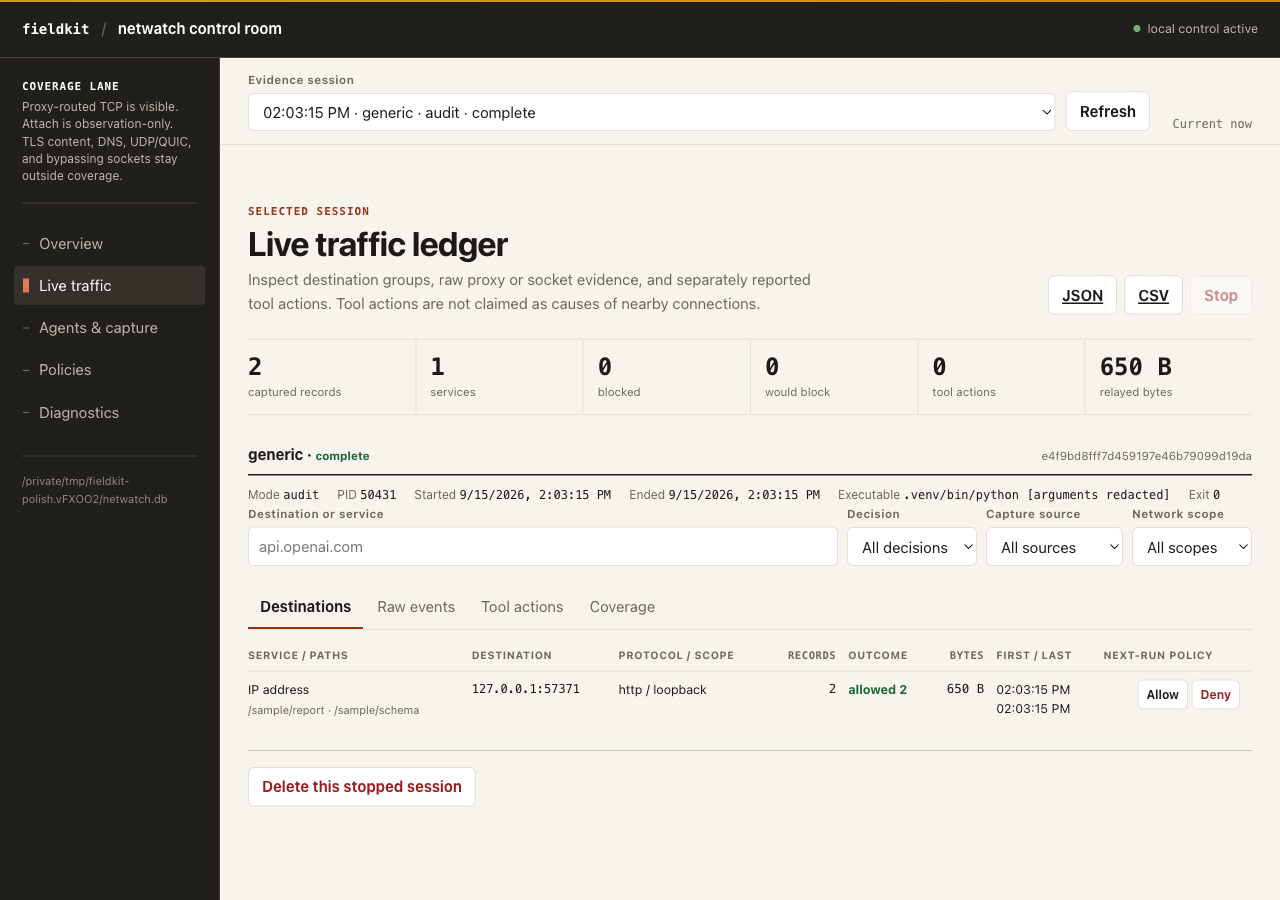
07 / Observe agent network access

netwatch

Launch Codex, Claude Code, or another command through local HTTP and SOCKS5 proxies. Netwatch records destination metadata, groups common services, and can enforce a deny-by-default host, IP, port, and protocol policy before opening an upstream connection.

The local control room compares sessions and sources, launches supervised noninteractive commands, discovers agents, attaches by PID, edits and tests policy, filters the traffic ledger, and exports reports. Interactive agents still run in their terminal while the dashboard follows the session.

Coverage stays visible beside the totals. HTTPS content remains encrypted, attachment is observation-only, and DNS, UDP/QUIC, and sockets that bypass the proxies are not counted.

Read the netwatch docs

Install and audit Codex

Add it to your toolkit
fieldkit plugin add netwatch
fieldkit netwatch run -- codex

Working from the repo

README-tested commands
uv sync
uv run fieldkit netwatch doctor
uv run fieldkit netwatch run -- codex
uv run fieldkit netwatch run -- claude
Netwatch control room: one completed generic session and two HTTP requests to a local sample endpoint. Generated sample evidence; no customer or external traffic.
Generated sample evidence from a real supervised command to a local sample endpoint: one completed generic session and two HTTP requests. Those counts are measurements of this example. No customer or external traffic. Open full-size image

08 / Check an AI workload spec

AWCP

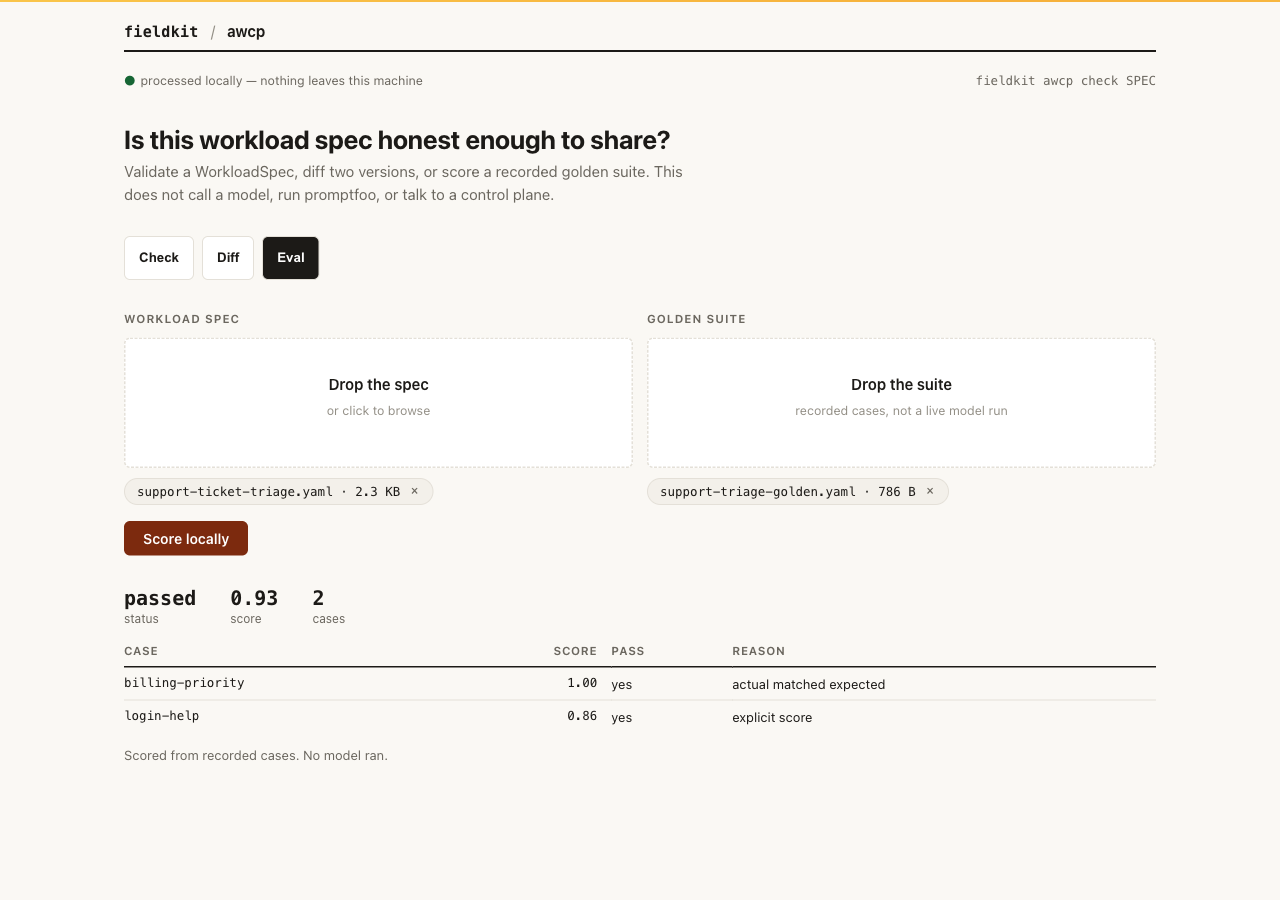
Validate a WorkloadSpec, fingerprint its config and prompts, list declared tools with approval and risk, diff two versions, and score a recorded golden suite against the spec's gates. YAML or JSON. Local only: it does not call a model, run promptfoo, or talk to a control plane.

Read the awcp docs

Install and run

Add the tool, then check a spec
fieldkit plugin add awcp
fieldkit awcp check workload.yaml

Example uses

README commands
uv sync
uv run fieldkit awcp check examples/awcp/support-ticket-triage.yaml
uv run fieldkit awcp diff examples/awcp/support-ticket-triage.yaml examples/awcp/support-ticket-triage-v2.yaml
uv run fieldkit awcp eval examples/awcp/support-ticket-triage.yaml --suite examples/awcp/support-triage-golden.yaml
awcp Eval view scoring two recorded sample outputs, marked passed. No model ran.
Eval scores recorded sample outputs: two cases, marked passed. No model ran. Open full-size image

Built for the awkward middle.

Before you use it

What is Field Kit?

It is the index for the Field Kit toolkit: one fieldkit core you install once, and eight tools you add with fieldkit plugin add.

What does it cost?

This site has no payment flow, subscription, or hosted account. Review each repository’s maturity and license status before adopting it.

Where does my data go?

Field Kit runs locally by default. tell contacts remote detector services only when you set their vendor keys and explicitly authorize a remote run, and it warns before any text leaves the machine. Netwatch is a user-requested relay: it opens the destinations requested by the supervised command, applies your policy, and stores metadata locally. This website has no upload form, analytics, cookies, or embedded third-party content.

How do I delete data or get support?

The site stores nothing to delete. Remove files created by the CLI from your own machine, and use the fde-fieldkit repository for source, issues, and project updates.