
Docs / 02 Sanitize
scrub
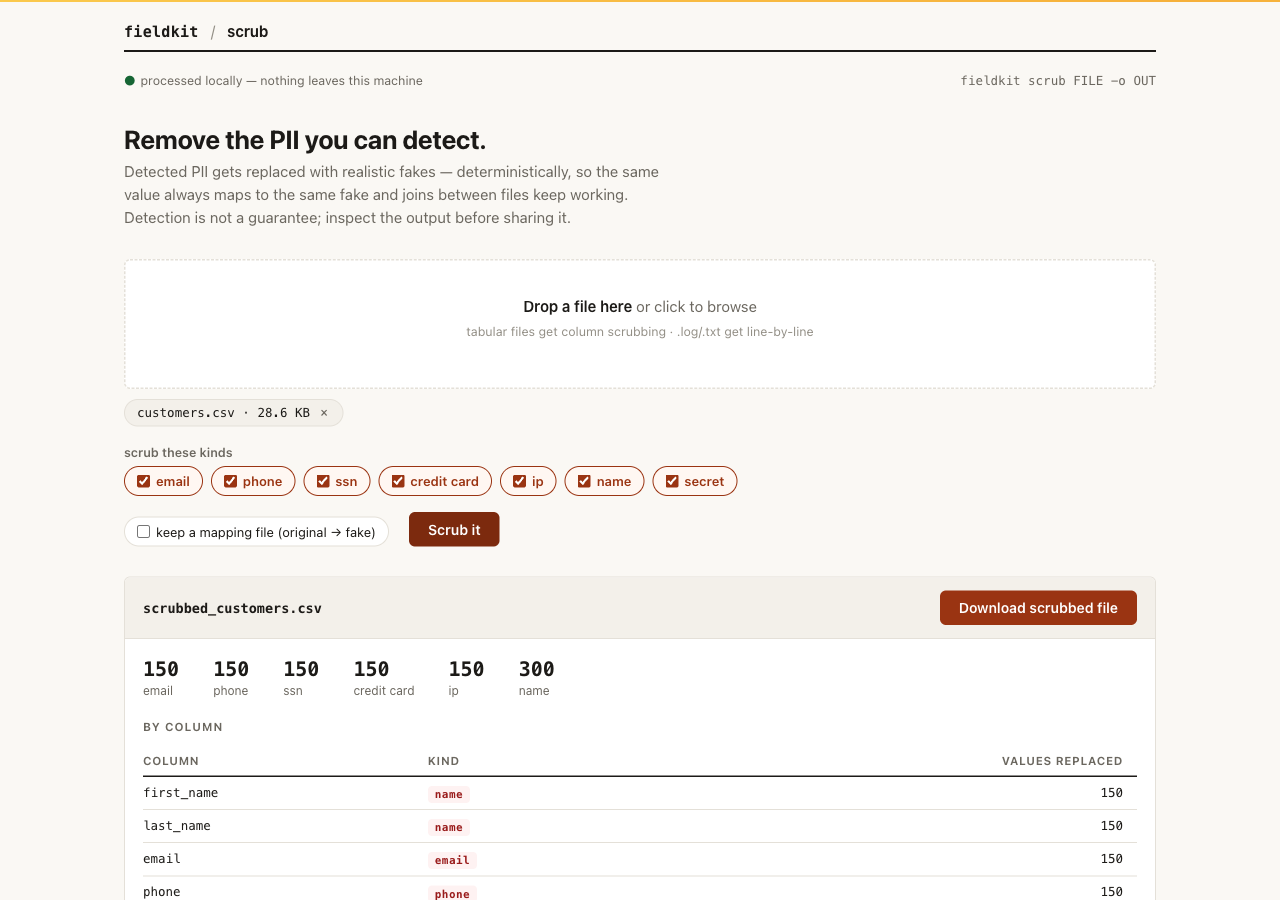
scrub makes a copy of a file with the personal data swapped for realistic fakes. The same real value always becomes the same fake value, so two scrubbed files still join on the same keys, and a scrubbed demo still behaves like the original.
When to reach for it You need to share a customer file with a teammate, a vendor, or an AI tool, and the file has emails, phone numbers, or worse in it. scrub gives you a shape-preserving copy with recognized PII replaced. Inspect it before sharing; detection can miss sensitive values.
What it does
scrub detects seven kinds of PII: email, phone,
ssn, credit_card, ip, name,
and secret. Each detected value is replaced with a fake of the
same kind. Replacements are keyed by a private salt stored at
~/.fieldkit/salt, which is what makes them deterministic across
runs and across files.
Tabular files (.csv, .tsv, .xlsx, .json, .jsonl, .ndjson) are scrubbed
column-aware. Anything else, or anything run with --text, is
scrubbed line by line, which is the mode you want for logs. scrub always
writes to a new file and refuses to overwrite its input.
Sparse recognized matches are replaced even when a whole column does not cross
the PII-confidence threshold. A recognized selected value left after replacement
stops the run. Detection is not a guarantee: common personal names can collide
with the name dictionary, and free-text notes are only touched where the scanner
finds a match — inspect the output before sharing it.
The web workbench supports .log and .txt text mode too.
Install and run
Already running the fieldkit core? The tool is one
plugin add away:
fieldkit plugin add scrub
fieldkit scrub customers.csv -o customers_safe.csv
Working from the fde-fieldkit repo instead? You need
uv; one uv sync installs
the core and every tool editable:
uv sync
uv run fieldkit scrub examples/customers.csv -o customers_safe.csv
Every flag
| Flag | Default | What it does |
|---|---|---|
FILE |
required | The file to scrub. Tabular formats are scrubbed by column; everything else by line. |
-o, --output PATH |
required | Where to write the scrubbed copy. scrub never overwrites in place. |
--kinds LIST |
all seven | Limit to a comma-separated subset: email, phone, ssn, credit_card, ip, name, secret. |
--salt-file PATH |
~/.fieldkit/salt | Salt that keeps pseudonyms stable. Share it between machines to keep joins consistent. |
--mapping PATH |
off | Write the original-to-fake map as JSON. The map is as sensitive as the original data. |
--text |
off | Force line mode. Matches exact bytes; equivalent spellings are not normalized. |
--help |
Show usage and exit. |
Worked examples
1. Scrub a customer CSV
The summary shows exactly what was replaced and where, so you can sanity-check the result before sending it anywhere.
uv run fieldkit scrub examples/customers.csv -o customers_safe.csv Replacements
┃ Kind ┃ Count ┃
│ email │ 150 │
│ phone │ 150 │
│ ssn │ 150 │
│ credit_card │ 150 │
│ ip │ 150 │
│ name │ 300 │
By column
┃ Column ┃ Kind ┃ Count ┃
│ first_name │ name │ 150 │
│ email │ email │ 150 │
(five more rows)2. Scrub an application log
Logs are not tables, so use --text. Every line keeps its shape;
only the detected PII inside it changes.
uv run fieldkit scrub examples/app.log -o app_safe.log --text3. Scope it, and keep a reversible map
Only worried about emails and phone numbers? Scope with --kinds.
If you may need to reverse the scrub later, write a mapping file, then guard
that file like the original data, because that is what it is.
uv run fieldkit scrub examples/customers.csv -o customers_safe.csv \
--kinds email,phone --mapping customers.mapping.jsonwarning: the mapping file is as sensitive as the original data
Replacements
┃ Kind ┃ Count ┃
│ email │ 150 │
│ phone │ 150 │Next steps
Not sure what is in the file to begin with? xray flags the PII columns first. If even scrubbed real data is too real, generate fully synthetic rows with mimic.