
Docs / 04 Compare
datadiff
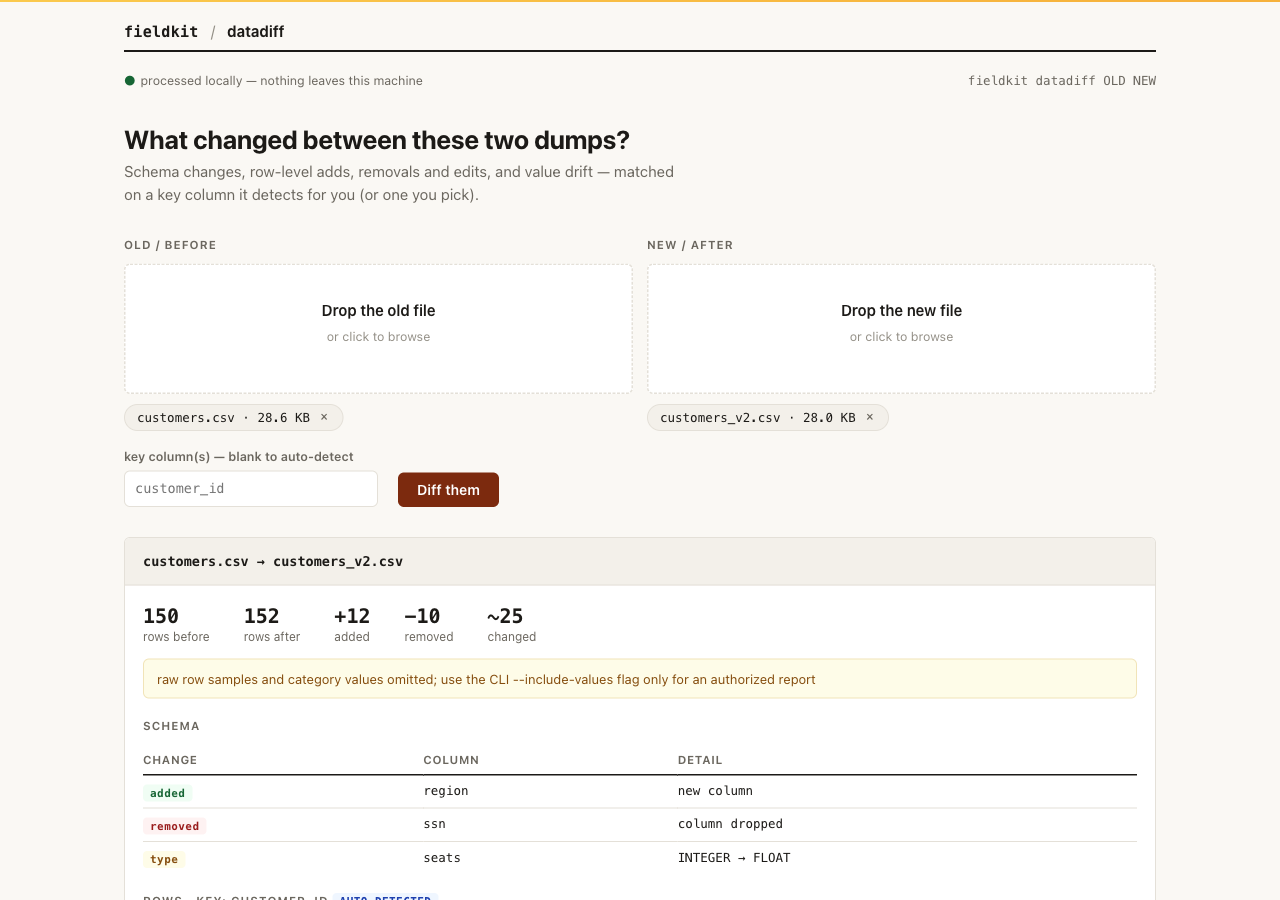
Give datadiff last month's dump and this month's dump, and it explains what actually changed: which columns appeared or vanished, which rows were added, removed, or edited, and how the values themselves drifted.
When to reach for it "The numbers look different this week and nobody knows why." datadiff turns two exports into a concrete change list you can walk a customer through, instead of eyeballing spreadsheets side by side.
What it does
datadiff compares the two files at three levels. Schema: added and dropped columns, plus type drift, like a column silently turning from integer to float. Rows: matched on a key column so you get true added, removed, changed, and unchanged counts. Values: per-column drift, such as new categories appearing or a mean shifting by a suspicious amount.
It detects the key column on its own when it can. When it guesses wrong, or
your key spans multiple columns, say so with --key. Automatic
detection checks single columns only, avoiding schema-width pair enumeration.
Install and run
Already running the fieldkit core? The tool is one
plugin add away:
fieldkit plugin add datadiff
fieldkit datadiff customers.csv customers_v2.csv
Working from the fde-fieldkit repo instead? You need
uv; one uv sync installs
the core and every tool editable:
uv sync
uv run fieldkit datadiff examples/customers.csv examples/customers_v2.csv
Every flag
| Flag | Default | What it does |
|---|---|---|
OLD NEW |
required | The original dump and the new dump, in that order. |
--key COL[,COL] |
auto-detected | Which column(s) identify a row. Comma-separate for a compound key. |
--json PATH |
off | Also write the diff as JSON for scripts and pipelines. |
--html PATH |
off | Also write a printable HTML report, redacted by default. |
--include-values |
off | Include sensitive raw row/category values in this one local report. |
--sheet NAME |
first sheet | Excel sheet to compare. Applies to both workbooks. |
--help |
Show usage and exit. |
Worked examples
1. What changed between v1 and v2?
One command, four answers: schema changes, row counts by change type, which columns the edits landed in, and how values drifted.
uv run fieldkit datadiff examples/customers.csv examples/customers_v2.csvcustomers.csv (150 rows) → customers_v2.csv (152 rows)
Schema
┃ change ┃ column ┃ old ┃ new ┃
│ added │ region │ — │ present │
│ removed │ ssn │ present │ — │
│ type │ seats │ INTEGER │ FLOAT │
Rows · key: customer_id
┃ added ┃ removed ┃ changed ┃ unchanged ┃
│ 12 │ 10 │ 25 │ 115 │
Drift
┃ column ┃ kind ┃ details
│ plan │ categorical │ new: starter; vanished: —
│ mrr │ numeric │ mean Δ +23.09; std Δ +20.59; mean +7.69%2. Pin the key and write a redacted report
Here the key is set explicitly and the same diff is saved as HTML. Counts stay useful while raw row and category values remain omitted.
uv run fieldkit datadiff examples/customers.csv examples/customers_v2.csv \
--key customer_id --html diff.html(diff tables as above)
wrote diff.html3. Feed the diff to a pipeline
--json gives you the same three levels as structured data, so a
nightly job can alert on schema drift instead of a human noticing on Friday.
uv run fieldkit datadiff old.csv new.csv --json diff.jsonNext steps
If the diff shows a column full of PII moved around, sanitize before you share the evidence: scrub. And the "what is this column anyway" question belongs to xray.